 Telemetry overlays for action creators
Cut clips without leaving desktop
Bring GoPro footage into a Mac or Windows timeline, trim the slow parts, and keep the moments that actually matter.
GoPro Quik desktop alternative
LiveLayer gives you a GoPro Quik desktop alternative for the real edit after the ride, flight, run, or drive: trim the clip, place the gauges, show the route, and export the finished video.
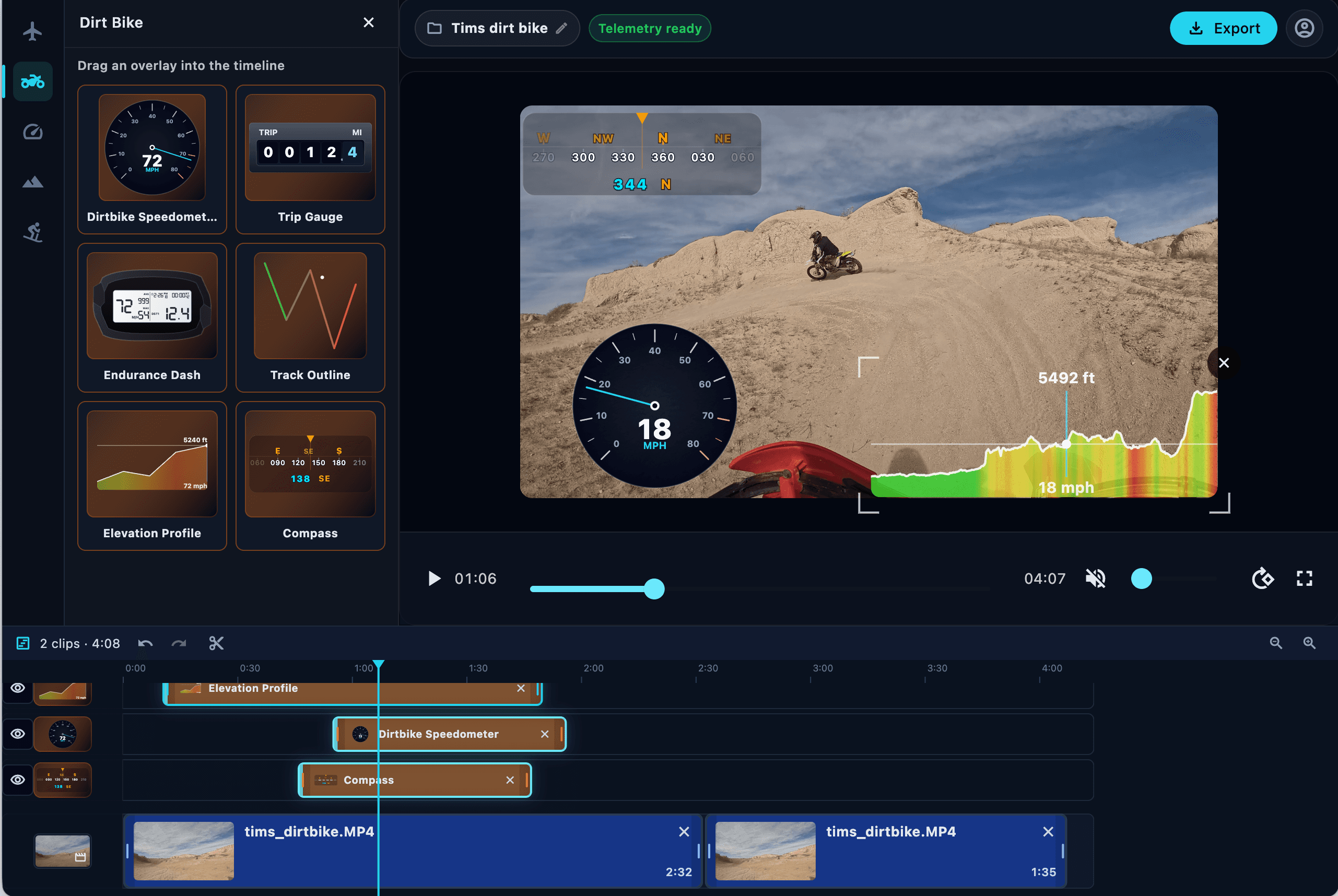
If you searched for GoPro Quik for desktop, you probably want a clean way to turn camera files into a watchable action video. LiveLayer focuses on the parts that make GoPro footage land: fast trimming, readable telemetry, a clear timeline, and an export that is ready to post.
Bring GoPro footage into a Mac or Windows timeline, trim the slow parts, and keep the moments that actually matter.
Add speed, route, altitude, slope, pitch/roll, compass, and activity gauges from the telemetry already inside your GoPro file.
Save projects, reopen them later, and keep your clips, overlays, timing, and layout together.
Render a finished action video with the overlays burned in, so the final cut tells the full story.
Timeline editing, overlay layers, project saves, and finished exports.
View GoPro editor pageGPS, speed, altitude, route, slope, and instrument overlays from GoPro files.
View overlay pageLearn how to record GoPro footage with more reliable GPS and sensor data.
Read capture tips